What is AWS MSK?
AWS MSK is a fully managed service that deploys a highly available Apache Kafka cluster with settings and configuration based on best practice with only a few clicks.
AWS MSK Benefits
Setting up your own Apache Kafka cluster can be complex and involve manual work including:
- Failure recovery plan
- Orchestrate updates
- Plan for High Availability
- Ensure data is secure
- Much, much more!
MSK makes this so much easier. Here are some broad areas where:
Maintainability
In 10 minutes you can have a multi-AZ cluster up and running. It also has the benefit of including enhanced monitoring with CloudWatch. The documentation is very good and support tickets are replied promptly.
Reliability
There is automatic detection and recovery from the most common failure scenarios for Multi-AZ clusters. Which means your producer and consumer applications can continue with minimal impact. Scenarios include:
- Loss of network connectivity to a broker
- Compute unit failure of a broker
If AWS detects such failures, it will automatically replace the unhealthy broker with a fresh one. It will also try to reuse the storage from the older broker to reduce the need to replicate data.
Security
AWS have enhanced the security of MSK. The default setup provides encryption in-transit enabled via TLS for inter-broker communication. This can be disabled.
AWS MSK also supports TLS based authentication and allows you to deploy private CAs with an AWS Certificate Manager service. Only clients presenting TLS certificates generated from the previously loaded private CAs can authenticate against the cluster.
AWS MSK make it Simple with Lenses
In minutes you can have a highly-available Apache Kafka cluster. The only thing missing is the right DataOps platform to simplify building and managing flows. This includes:
What is Lenses?
Lenses, allows you to build and deploy data flows in a repeatable manner through nothing but declarative configuration over your existing infrastructure, such as Kafka and Kubernetes.
All your data flows come baked-in with enterprise features for monitoring, security and auditing. So not only is it simply to build flows, it also reduces the operational overhead of deploying and managing them. Meaning you can deliver to production in consistent fashion, in a fraction of the time, cost and effort.
Lenses with AWS MSK
MSK makes setting up your cluster super easy, now Lenses will help you manage it and build, debug and deploy flows super easily too in these areas:
Administer
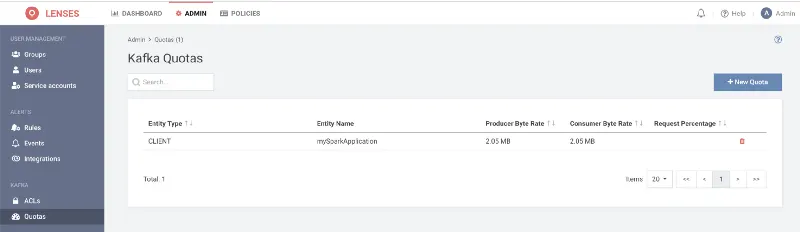
Kafka ACLs, provide restrictions on access to the available resources in a Kafka cluster. Kafka Quotas give the ability to enforce quotas for Kafka clusters. Lenses provides a UI with role-based security and auditing to fully manage this and more!

Explore
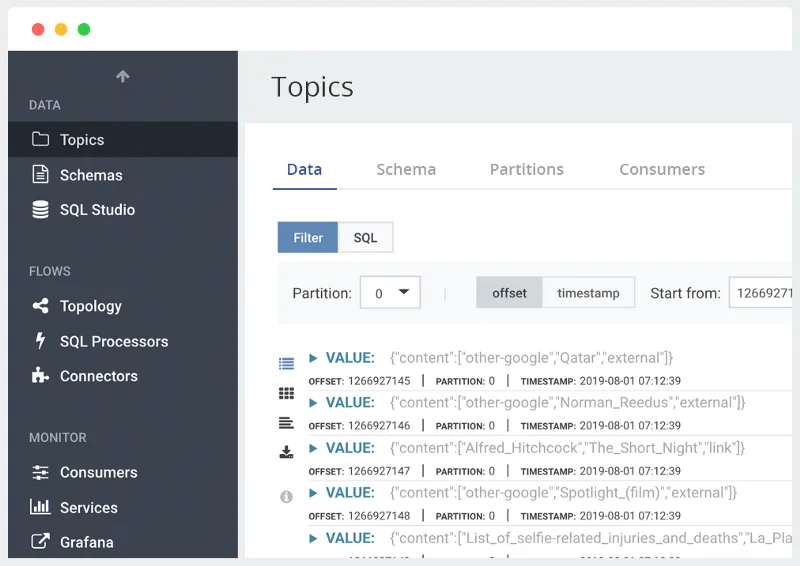
Whilst you’re developing or debugging a stream, you often need to inspect published data. Use Lenses to explore data in your streams by partition offset or via SQL statements. This massively accelerates the time to debug. And like everything in Lenses, access is via a UI or CLI and protected with role-based security, auditing and field-level masking.
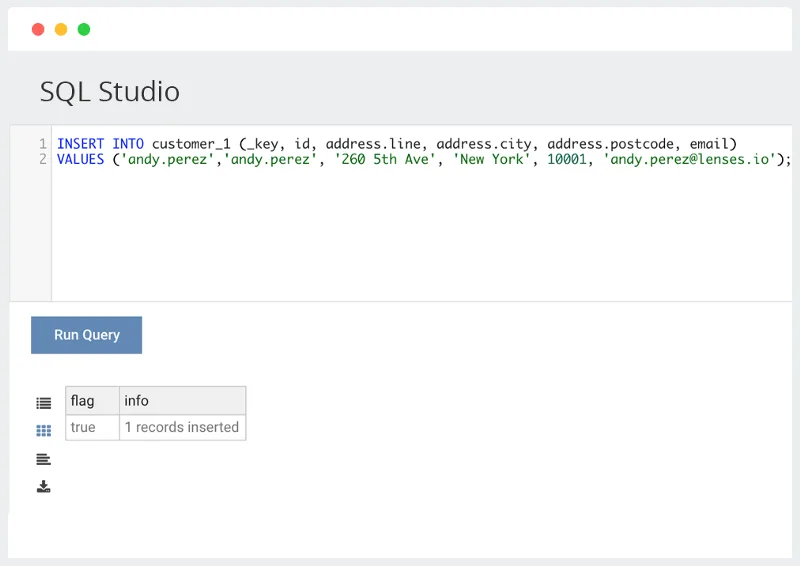
You can even use the SQL to inject data into a stream!
Governance
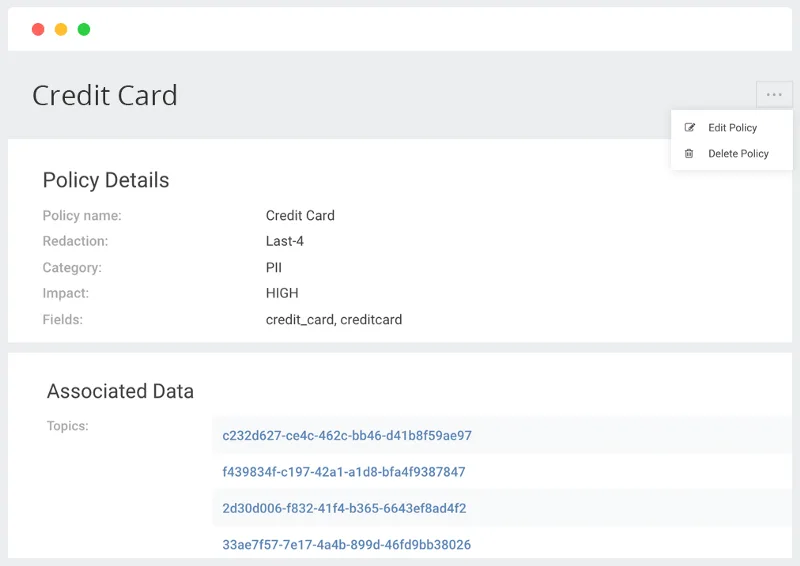
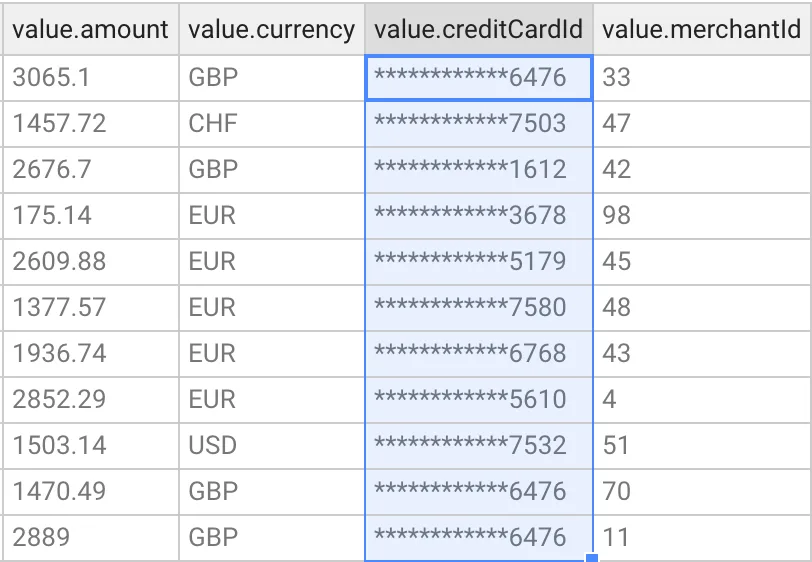
Lenses introduces the concept of Data Policies to discover and mask data when exposing data to your teams. Especially useful for compliance such as GDPR or HIPAA. Policies apply just within Lenses, so they do not affect your raw Kafka data and applications.
Build
Lenses with AWS MSK allows you to build and deploy production-ready flows in minutes with SQL via AWS EKS (Kubernetes) as well as via Kafka Connect data integration connectors. Once you’ve deployed your flows, alert and monitor them from with Lenses too!
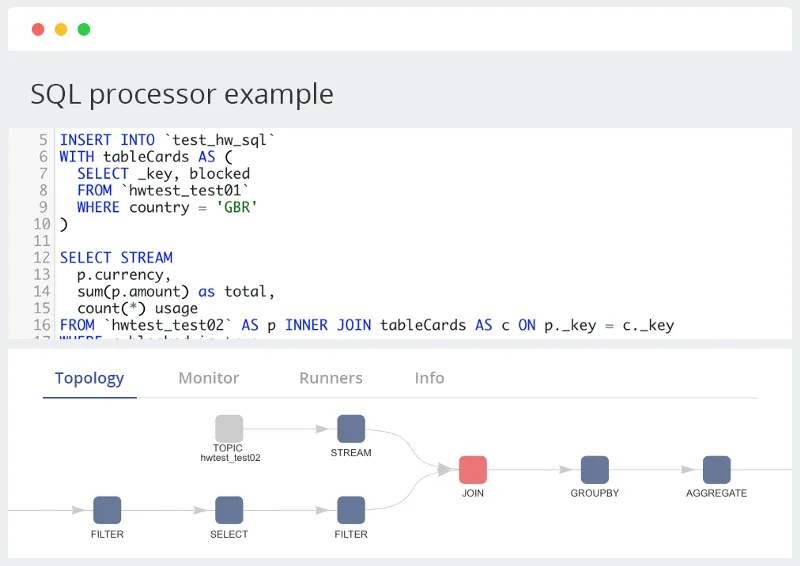
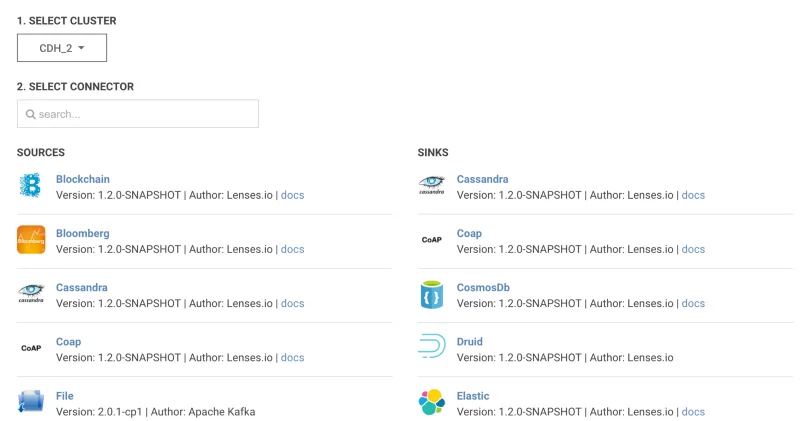
Lenses has a large open source library of connectors to get data in and out of Apache Kafka and also provides SQL syntax to simplify configuration.
Your own Kafka setup to AWS MSK - GitOps
Lenses offers an open-source CLI built in Go to import/export your entire data landscape, including your Kafka configuration, connectors and data flows via declarative configuration files (such as YAML). Configuration will include:
- Applications, connectors and processors
- Topics and schemas configurations
- Access controls and quotas
- Alerts and monitoring
- User management and permissions
This means that your entire data landscape: from defining data flows to monitoring, auditing and security can be described and managed in git via GitOps.
GitOps Benefits
- Deployment of flows in a repeatable fashion with confidence. Automated CI/CD pipelines
- Promotion between environments, on-premise to AWS MSK or from development to production.
- Standardized and familiar workflows for developers, data engineer and release management
- Meet governance — everything audited & version controlled
- Drive automation to accelerate delivery
Get Lenses
Want to give Lenses+MSK a try? Visit https://lenses.io/cloud/aws-msk. It only involves 3 steps:
- Get your license key
- Select the CloudFormation template
- Connect with your AWS MSK details
Remember to check out the video on the page.
You can also test Kafka+Lenses in a docker sandbox environment here