Here is a scene every Kafka team knows. The pager goes off in the dead of night. The on-call engineer reads the alert, opens a laptop, and starts looking for context they don't have. Which team owns this consumer group? Where's the runbook? Which topics does it read from? Is the consumer lag going up or has it already recovered?
None of these questions are hard. Answering them just takes time, and all of that time passes before anyone starts on the fix.
So we asked a simple question. What if the first hour of that work was handled by an agent, and the engineer woke up to an answer instead of a blank terminal?
This post covers the agent we built, how we tested it, and what we'd change next.
Diagnosis takes most of the time
Most Kafka incidents that wake people up fall into a short list. Consumers fall behind. Consumers stall. A schema changes and something downstream stops understanding the messages. In a payments or fraud pipeline, each of those means transactions sit in a queue while people work out what happened.
Before joining Lenses, I ran Kafka operations at a health tech company in London, and I've seen this pattern from both sides of the on-call rota. In an incident, the expensive part is rarely the fix itself. It's finding the right consumer, the right topic, and the right change. That's the work we chose to automate.
We kept the agent away from production deployments. Its job is to do the detective work and hand the engineer a file.
How the agent is built
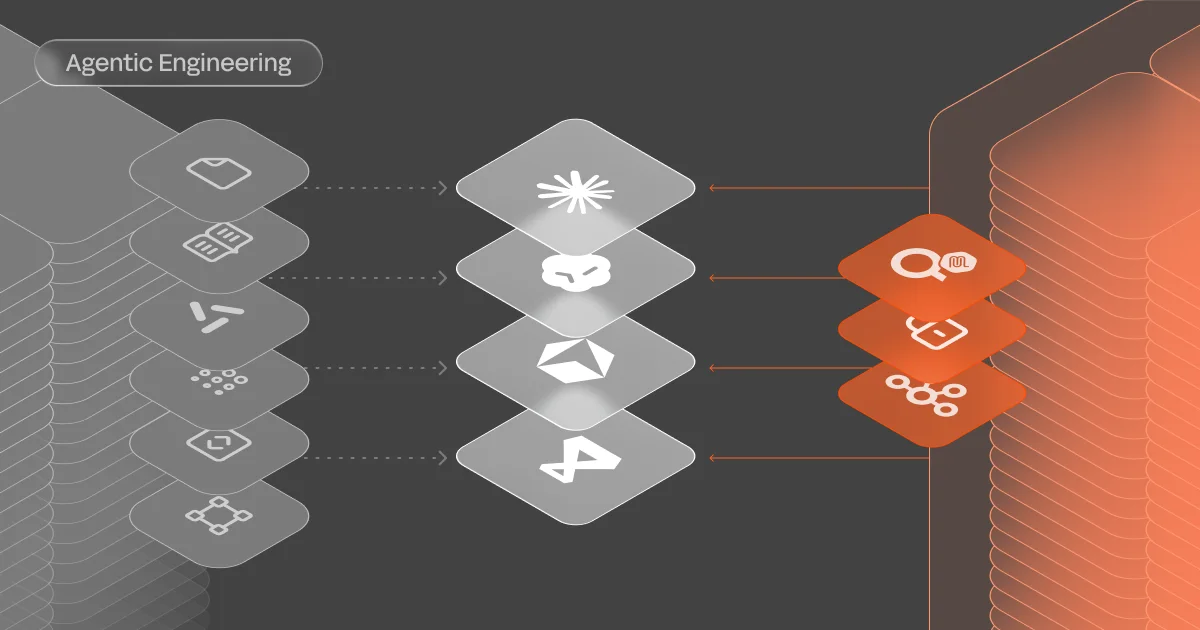
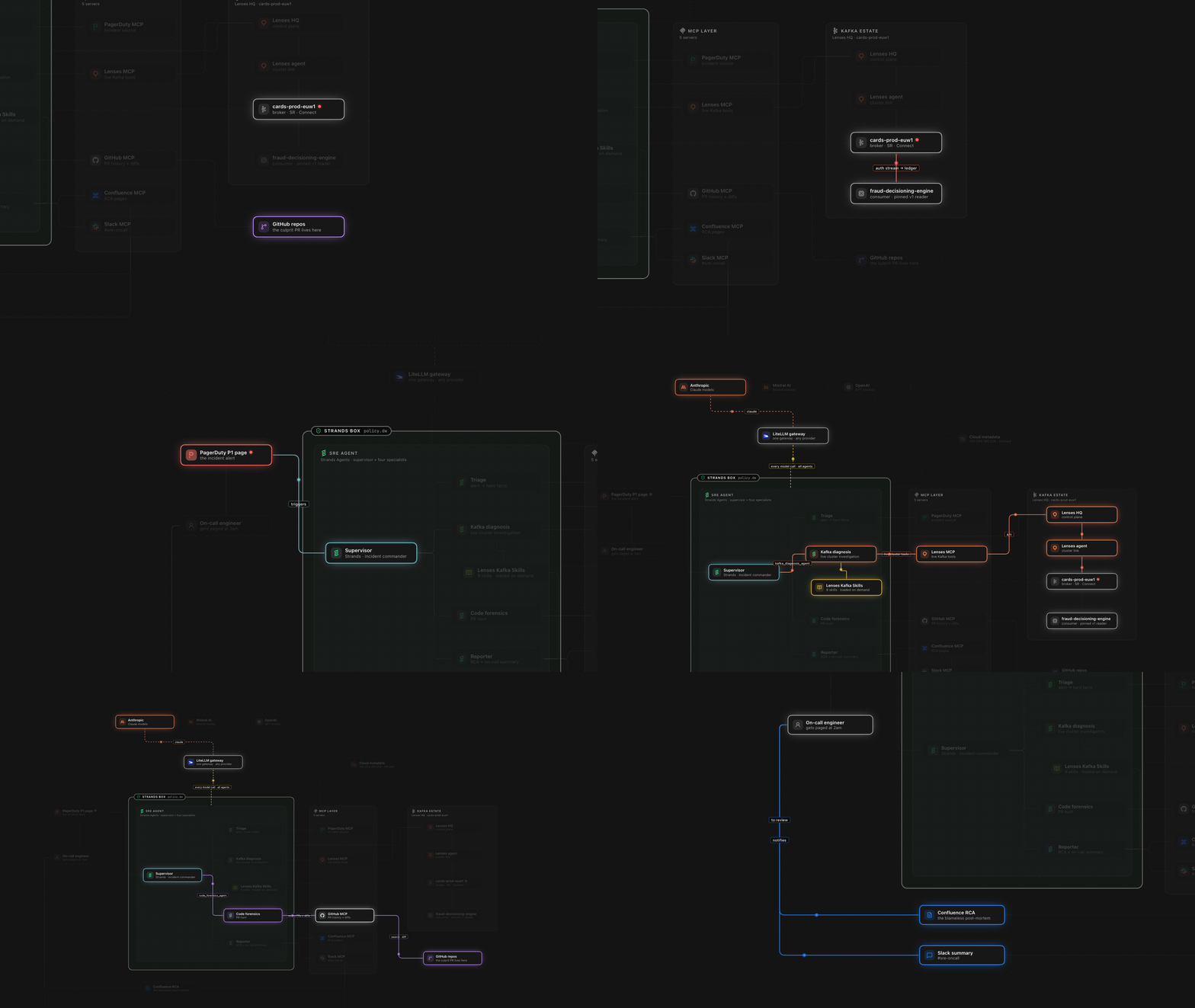
We built the agent with Strands Agents, an open-source framework from AWS. The structure is simple. A supervisor agent sits at the top and holds no tools of its own. It delegates to four specialists, each with a narrow job, a short list of tools, and a limited context window.
The triage agent connects to PagerDuty. It acknowledges the incident, reads the alert, and decides whether the problem looks like Kafka. The Kafka diagnosis agent connects to the Lenses MCP server and inspects consumer lag, topic data, and schemas. The code forensics agent queries GitHub through the GitHub MCP and looks for changes merged near the incident window. The reporter writes the root cause analysis and posts it to the team's Slack channel.
The supervisor runs Kafka diagnosis and code forensics in parallel, since neither needs the other's output to start. If their results agree, the supervisor moves on to the report. If they conflict, it sends diagnosis back out for a fresher read of the cluster. We think that loop is the piece that most needs to be made explicit, and we come back to it below.
Every connection to the outside world runs through MCP. That keeps the tools in one place and makes each access path easy to inspect and secure.
We chose the narrow design because it limits damage. Each agent sees only what it needs. The diagnosis agent can read the cluster but can't touch a repository. The forensics agent can read code but can't change the cluster. When something goes wrong, the blast radius stays small.
The demo run
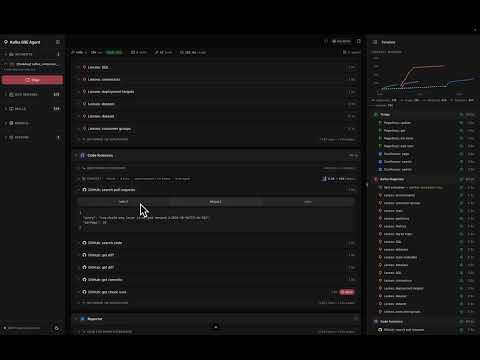
The talk included a live incident, so here is what the agent did in the run we showed. The whole thing took about 230 seconds.
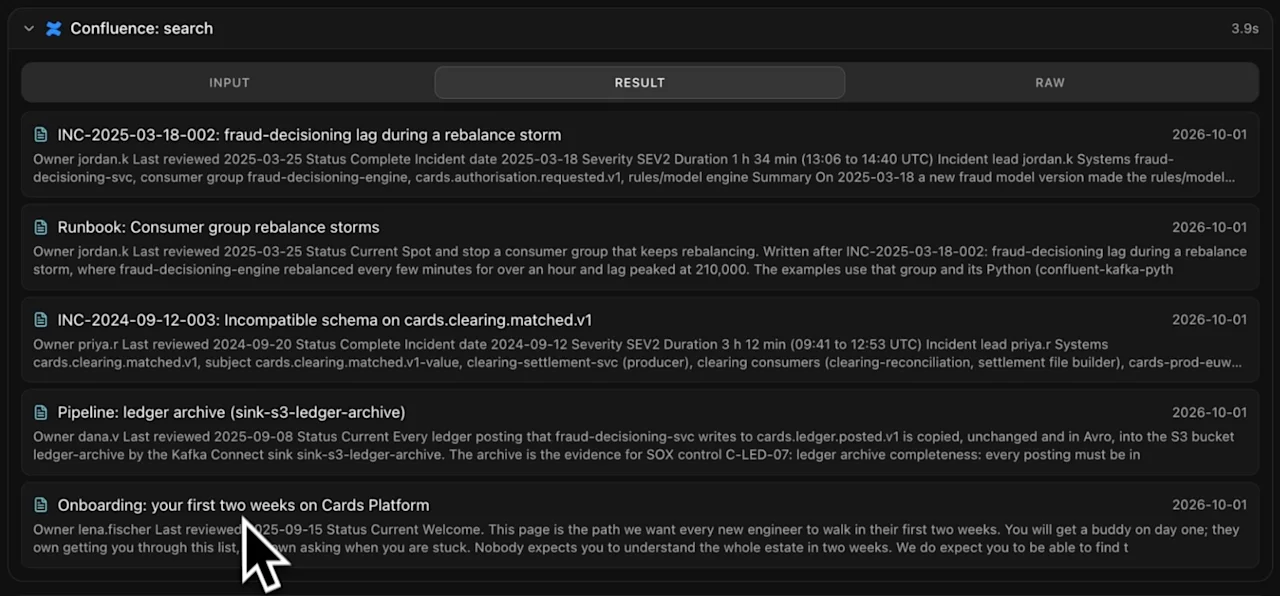
The supervisor picked up the alert and passed it to triage. Triage acknowledged the incident in PagerDuty, pulled the alert details, and noted that the trigger was a consumer lag threshold. It also searched our Confluence space for past incidents and RCAs, to check whether this had happened before.
Diagnosis then worked through Lenses. It checked whether lag was still rising, ran SQL against the topic to see what the messages looked like at that moment, and inspected the schemas.
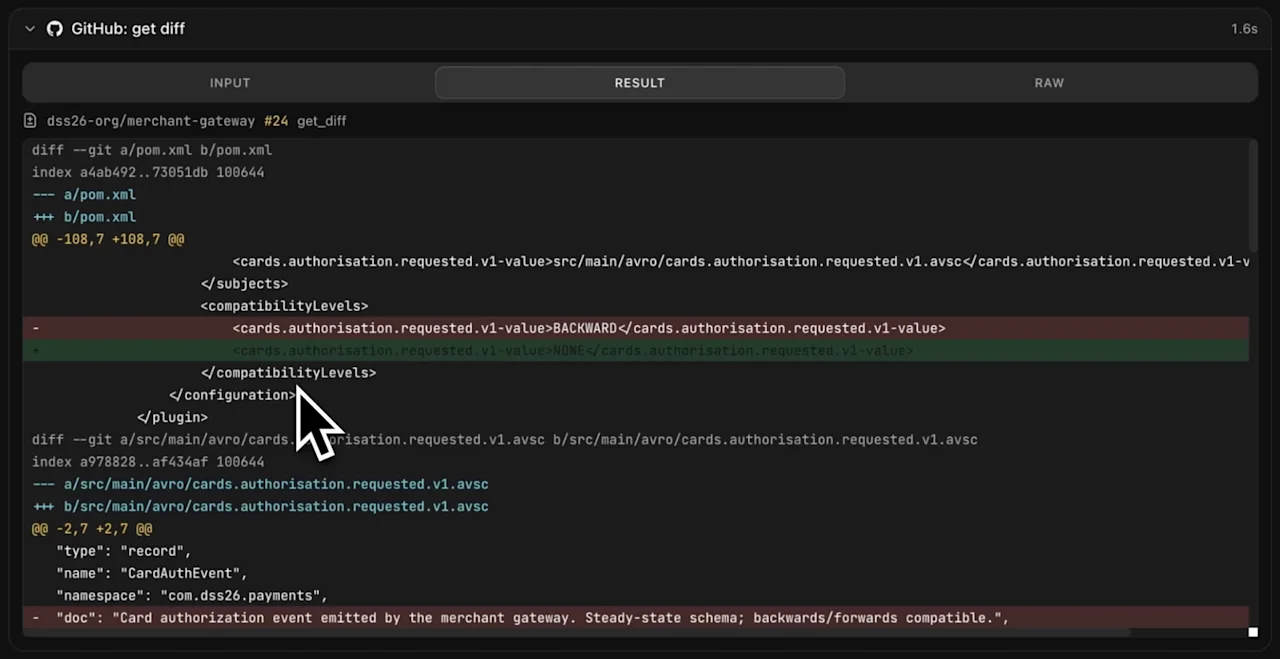
While that was happening, code forensics searched GitHub for pull requests merged just before the lag started. It found a handful and read the diffs. One of them removed a field from a schema and changed the type of another.
The change itself lived in another team's repository. It came from a producer service writing to a topic that the fraud engine consumed. A change upstream of the application broke the application. This is a common pattern: a third-party or upstream change sends a message the consumer can't handle.
The reporter wrote the RCA, posted progress notes to the incident as the run went, and linked the offending pull request and the full report in Slack. When the on-call engineer logged in, they had something to read rather than something to start.
To play this video, accept functional cookies in your privacy settings.
YouTube video
Testing needs a rig
Testing turned out to be the hardest part of the project, and it's where we'd start if we were doing this again.
With a chatbot, you collect prompts and expected answers, run them, compare the outputs, and change one variable at a time. An SRE agent needs something else. Its inputs are a live Kafka cluster, a repository history, and an alert. You can't evaluate it by waiting for a real incident at two in the morning. You have to create the incident on purpose.
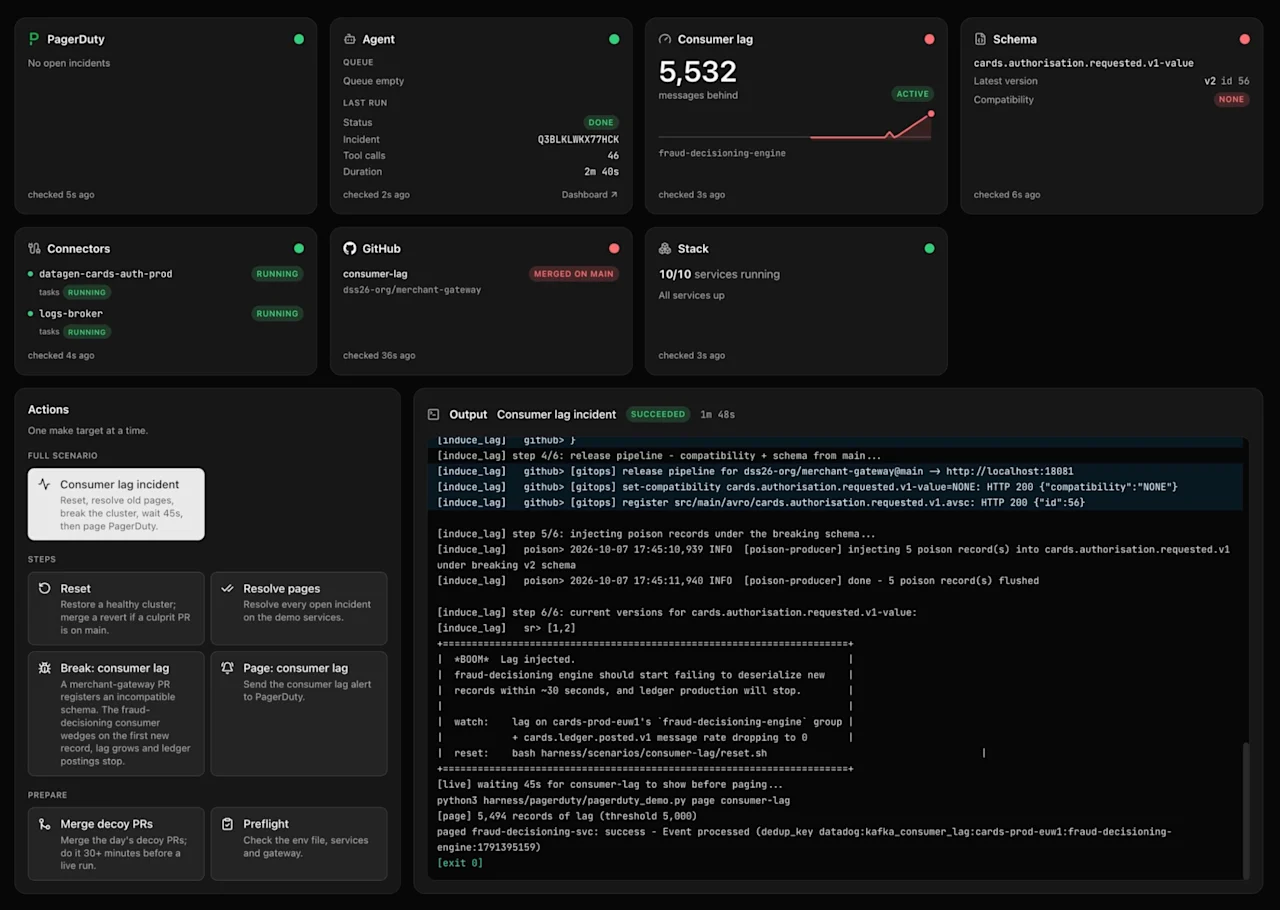
So we built a rig that does four things. Each one runs as a command:
- It provisions the infrastructure: a Kafka cluster, the topics, the schemas, and any connectors the scenario needs.
- It seeds the cluster with data. We used ShadowTraffic and Datagen so the topics hold realistic messages.
- It plants the cause. That might be a pull request merged into a repository, or a bad message from a simulated third party. The poison pill arrives the same way it would in production.
- It resets everything. Every run starts from the same state, so when two runs differ, the agent accounts for the difference and not leftover data.
Because each step is a command, the whole loop can run in CI. We also built a small UI for running steps one at a time, mostly so we could watch what was happening. The commands do the real work, and the UI just makes them easier to see.
What we’d change next
The demo worked, but it worked on a scenario we wrote ourselves. There's a long list of work to do before we'd put this in front of a customer's on-call rotation. These are the items we expect to be prioritized:
Memory needs evidence. The reporter already writes an RCA for every incident, and those RCAs land in Confluence, where the agent can search them. Not every RCA is right, though. Before anything goes into memory, we want proof that the fix worked and the diagnosis held. Without that check, the agent would learn from its own mistakes.
Anything the agent reads can carry an injection. A pull request description, a Confluence page, or a message sitting on a Kafka topic can contain text meant to steer the agent. The example we ran involved data arriving from a third party. We're treating everything that comes through MCP or retrieval as untrusted input.
Policy should run before the tool call. Our RBAC on the Lenses MCP server already limits what the agent can do, and in this setup it's read-only. A permission error is still a late way to stop a bad decision, though. We want each tool call checked against a policy first. Cedar and Dogwood, the open-source policy language behind AWS's authorization tooling, is one way to express those rules. Time-based rules fit here too. A decision to change something might be valid for fifty minutes and stale after that, because the cluster has moved on. A policy could also block the unbounded SQL queries an agent might run in a loop.
Some steps don't need an LLM. Routing between sub-agents, choosing among three or four possible diagnoses, and judging whether an RCA is correct are closer to classification than open-ended reasoning. Decision models such as JEV can handle those faster and more cheaply, with the agent falling back to a slower LLM when confidence is low.
Draft the fix, then stop. The next step we want to test is letting the agent open a pull request with a proposed remediation. A human approves and merges it, and the policy layer sets how long the approval window stays open. We won't let the agent deploy to production on its own, and the customers we work with don't want that either.
Verify the fix worked. A good on-call engineer doesn't close the ticket when the PR merges. They watch the lag come down and check the dashboard. The agent should do the same before it reports the incident as resolved.
Prevent the next one. Once a root cause is confirmed, the agent could suggest a CI check that would have caught it. In this case, a backward-compatibility check on the producer's schema changes would have stopped the bad message at its source.
Teach the agent to say "I don't know." This one matters most for trust. LLMs are shaped to produce answers, so they often do. We want the eval to score a calibrated "I don't know, here's what I'd check next" above a confident wrong answer. That means building scenarios where uncertainty is the right answer: false alarms, two similar pull requests merged minutes apart, or alerts with too little context to act on.
Where the benchmarks stand
Two benchmarks aimed at SRE-style work have appeared this year, and both focus mostly on Kubernetes. One is ITBench-AA from IBM and Artificial Analysis. The other is OrcaBench, where the best models managed around a 10 percent success rate on the hardest tasks. Those numbers are sobering, and they match what we see in our own runs.
We don't think the fix is waiting for better models. It's better scenarios. A benchmark that only tests clean, obvious failures will flatter any agent. Agents struggle with ambiguous cases, and a human on-call engineer earns their keep there too. Those are the cases we want in our test suite first.
Try it yourself
Have a look at the codebase. It includes the infrastructure definitions, the MCP servers, the agent code, the test harness, and the tracing setup. The agent works with any model behind a gateway. We use LiteLLM for that, so you can point it at Anthropic, OpenAI, or another provider.
To start on a laptop, the Lenses Community Edition and the Lenses MCP server are free to try. These Kafka skills, which encode good practice for RCAs and incident reports, are a good place to begin.
Head to the SRE Agent repo to try it out.
Our advice is the same as for any agent work. Build a rig you trust, break something on purpose, and change one thing at a time.
Want to compare notes?
We built this to learn what an SRE agent can do with Kafka, and we're still learning. If you run Kafka at scale and have tried something similar, we'd like to hear what worked and what didn't.
Sources
- Strands Agents: the open-source agent framework used for the supervisor and sub-agents
- Lenses: platform, MCP server, and audit log referenced in this post
- Phoenix by Arize: tracing and evaluation of each agent run
- LiteLLM: LLM gateway for swapping models
- Cedar: policy language for authorising agent actions before they run
- ShadowTraffic: data generation for seeding test clusters