
In this article we’ll show how we can use the driver in conjunction with Apache Spark.
For those who are new to Spark, Apache Spark is an in-memory distributed processing engine which supports both a programatic and SQL API. Spark will split a dataset into partitions and distribute
these partitions across a cluster. One of the input formats Spark supports is JDBC, and so by using Lenses and the JDBC driver we can provide Spark with a dataset that is populated directly from a Kafka topic.
It’s worth noting that Spark-Streaming already has preliminary support for Kafka. This blog is about how to efficiently load
historical data from Kafka into Apache Spark in order to run reporting, data warehousing or feed your ML applications.
To demonstrate, we’ll use one of the topics that comes with the Lenses development box, the cc_payments topic which contains sample data pertaining to credit card transactions. We can see the type of data provided by this topic by using the topic browser inside Lenses.
Let’s run the default query to see the structure of the data:SELECT * FROM cc_payments WHERE _vtype=‘AVRO’ AND _ktype=‘BYTES’ LIMIT 1000`
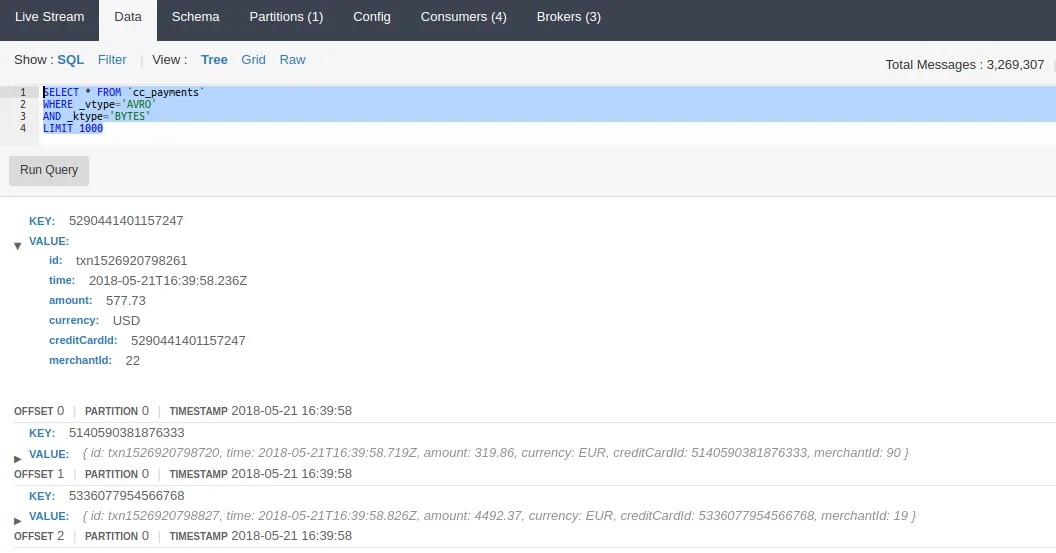
We’ll use this same query later on when we load data into Apache Spark. Our aim is to select data from the payments topic, and then use Spark’s aggregations functions to sum the
amount spent and group that by currency.
The first thing we’ll need to do is register the JDBC dialect. A JdbcDialect is an interface Spark provides to support slight differences in SQL implementations.
For example Oracle uses a backtick as an escape character whereas MySQL uses quote marks - this is handled by each dialect. The Lenses
dialect informs Spark of the escape characters Lenses SQL uses and how Spark should query Lenses to retrieve a schema. The implementation, in Java, is as follows:
```
public class LsqlJdbcDialect extends JdbcDialect {

    static {
        new LsqlDriver();
    }

    @Override
    public boolean canHandle(String url) {
        return url.startsWith("jdbc:lsql:kafka");
    }

    @Override
    public String getSchemaQuery(String table) {
        if (table.toUpperCase().startsWith("SELECT")) {
            return table.replace("\\sLIMIT\\s+(\\d+)", "LIMIT 1");
        } else {
            return "SELECT * from `" + table + "` LIMIT 1";
        }
    }

    @Override
    public String getTableExistsQuery(String table) {
        return "SELECT * FROM `" + table + "` LIMIT 1";
    }

    @Override
    public String quoteIdentifier(String colName) {
        return "`" + colName + "`";
    }

    @Override
    public String escapeSql(String value) {
        return value;
    }
}
```
Each custom dialect must be registered with Spark via the JdbcDialects.registerDialect method, which we will use the final snippet later.
In a Spark application that uses SQL, the entry point is an instance of a class called the SQLContext. This class provides methods to create new datasets and manipulate existing datasets in various ways,
such as reading from CSV, JSON or Parquet files, but what we’re interested in is reading from a JDBC source. These methods accept an SQL query, and an optional set of properties.
In our case, the properties will be used to specify the username and password.
Firstly, we setup the Spark config, and the SQLContext. Spark requires a setting known as the master url. The master url lets the spark driver program (this program) know where it should connect to.
In our case, the master string local[4] is used which instructs spark to run in process and to use 4 threads. (In a real world program, the master might point to a YARN cluster for example).
```
SparkConf conf = new SparkConf().setAppName("lenses-jdbc-spark").setMaster("local[4]");
SparkContext context = new SparkContext(conf);
SQLContext sql = new SQLContext(context);
```
Next, we can use the sql instance and an SQL query to build a dataset. An important feature of Spark is that a dataset is not held locally, but is essentially a pointer
to a remote dataset (which itself may be spread across multiple nodes). We can perform operations on this dataset - filtering, transforming, grouping, etc - and these operations will be queued
in the form of a plan. The plan is not executed until an terminal action is performed, which causes the plan to be executed. An example of a action might be saving back to a database, writing
to a file, or bringing the data back to the driver program.
```
String uri = "jdbc:lsql:kafka:https://hostname:port";
Properties props = new Properties();
props.setProperty("user", "username");
props.setProperty("password", "password");

String query = "SELECT currency, amount FROM `cc_payments` WHERE _vtype='AVRO' AND _ktype='STRING' LIMIT 1000000";
Dataset<Row> df = sql.read().jdbc(uri, query, props);
```
Here we have limited the results to one million records, but this is just an arbitrary value, any value can be used, or the limit can be omitted entirely.
Remember to update the hostname, port, username and password properties with values for your Lenses instance.
Now we have a handle to a dataset, we can begin to query the data. Our aim was to group by currency and sum, and this can be handled either by writing another SQL query against this dataset, or by using the programatic API. We’ll use the latter.
```
Dataset<Row> aggregatedByCurrency =
df.groupBy("currency").agg(org.apache.spark.sql.functions.sum("amount").alia
s("agg_amount"));
```
As straightforward as it looks, group first, sum after. We also give the aggregated column an alias, otherwise spark uses the default “sum(amount)” which is a bit more awkward to use.
At this point, Spark still has not read any data. It is still waiting for a terminal action, which we’ll do in the next line, by requesting that the results of the query are brought back to the driver program. At this point, the dataset must be made available in local memory, and so each stage of the plan will be executed.
```
List<Row> rows = aggregatedByCurrency.collectAsList();
System.out.print(rows);
```
Let’s bring together the entire application and run it.
```
public class KafkaJdbcDemoJava {

    public static void main(String[] args) {

        JdbcDialects.registerDialect(new LsqlJdbcDialect());

        SparkConf conf = new SparkConf().setAppName("lenses-jdbc-spark").setMaster("local[4]");
        SparkContext context = new SparkContext(conf);
        SQLContext sql = new SQLContext(context);

        String uri = "jdbc:lsql:kafka:https://hostname:port";
        Properties props = new Properties();
        props.setProperty("user", "username");
        props.setProperty("password", "password");

        Dataset<Row> df = sql.read().jdbc(uri, "SELECT currency, amount FROM `cc_payments` WHERE _vtype='AVRO' AND _ktype='STRING' LIMIT 1000000", props);
        Dataset<Row> aggregatedByCurrency = df.groupBy("currency").agg(org.apache.spark.sql.functions.sum("amount").alias("agg_amount"));
        List<Row> rows = aggregatedByCurrency.collectAsList();
        System.out.print(rows);
    }
}
```
While the application is running, you should be able to browse to http://localhost:4040 to see the Spark UI. From here, you can see the progress of the job.
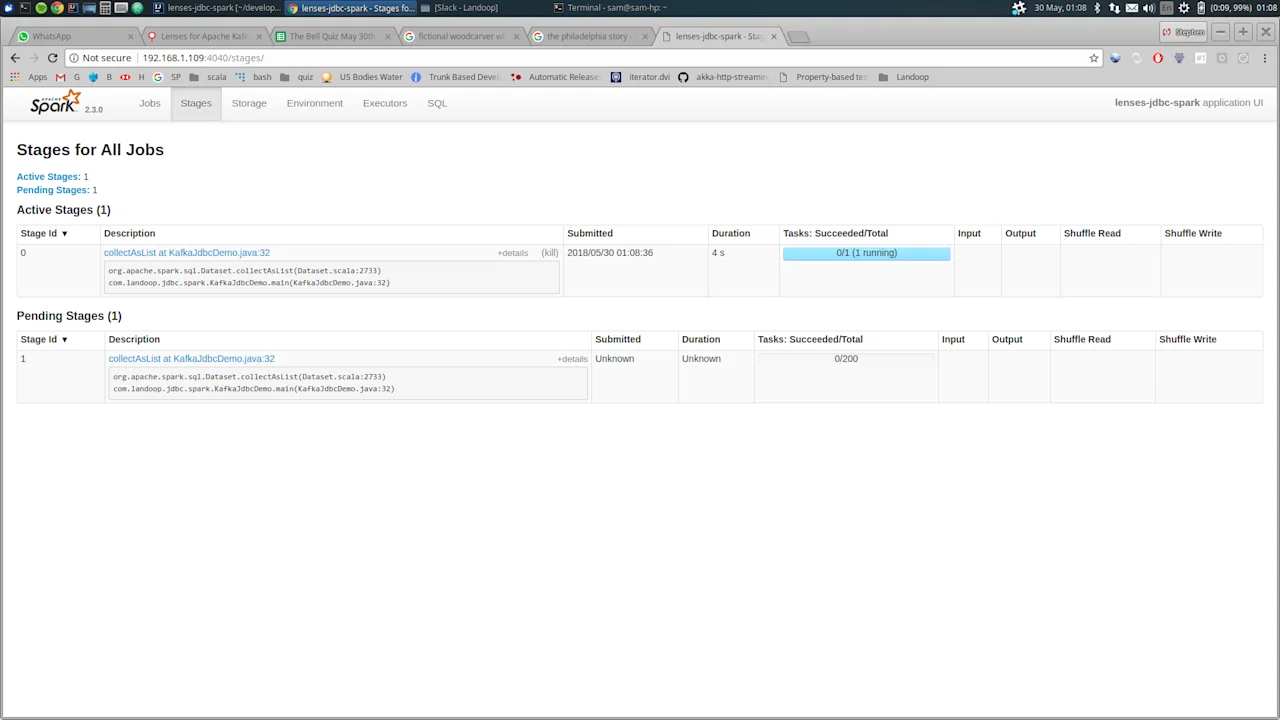
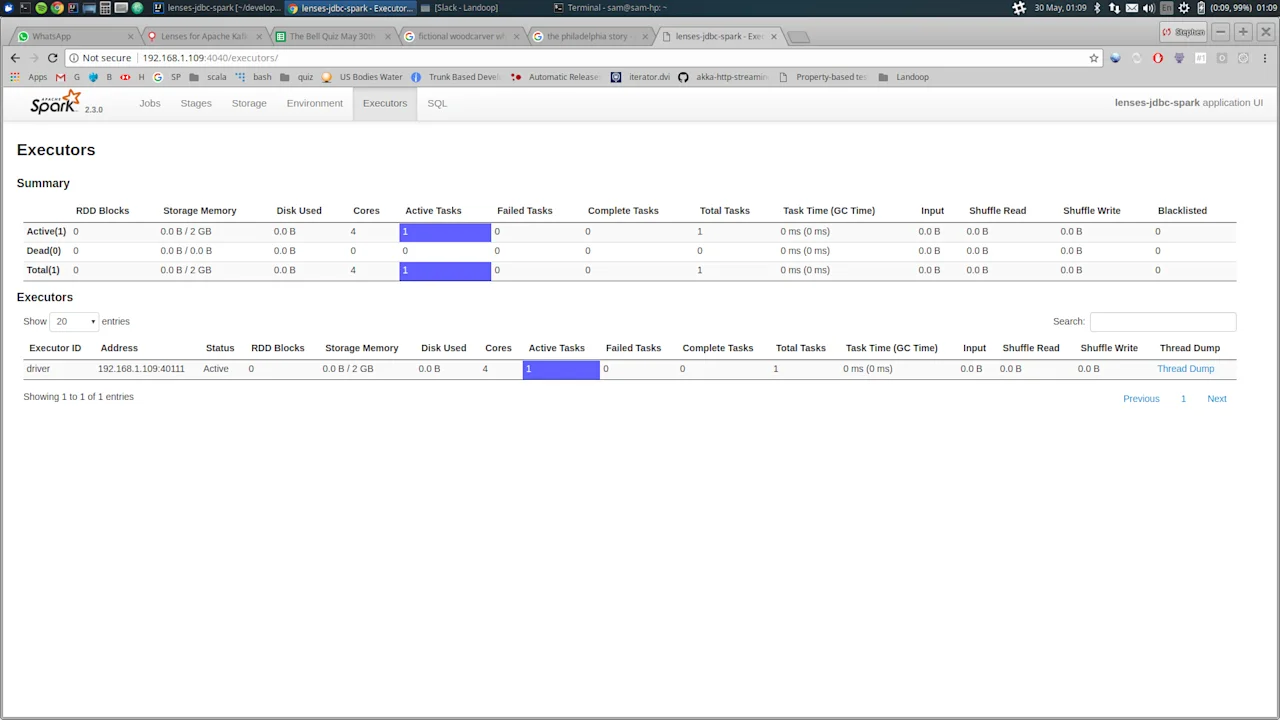
If everything is successful, you should see output in the console like this:
```
[
[GBP,374963652.350000000000000000],
[CHF,125434201.900000000000000000],
[CAD,252916186.500000000000000000],
[EUR,1130653167.78000000000000000],
[NOR,125364505.010000000000000000],
[USD,376436330.840000000000000000],
[SEK,126013023.450000000000000000]
]
```
Which, as you can see, is the result of grouping each currency and taking the sum, which is what we wanted.
To show the performance, we’ve ran some very quick benchmarks on a medium specced machine (4 core, 16GB) connecting to a single Kafka broker running on the same machine.
The same code as before was executed, each time increasing the limit on the number of records.
```
Records            Duration          Rate

500,000           16 seconds        31,250 records/s
1,000,000         33 seconds        30,300 records/s
2,000,000         70 seconds        28,500 records/s
2,500,000         83 seconds        30,120 records/s

```
Performance is nicely linear, around 30k records per second.
Insertion
We can also take the application to it’s natural next step, and write the aggregated data as messages onto another Kafka topic. To do this, we need a topic
that has a schema that matches the result dataset. Recall that the result was obtained by using groupby and sum, so our schema must have these two fields.
The schema is built using the Avro schema builder class.
```
org.apache.avro.Schema schema = SchemaBuilder.record("agg_payment").fields()
        .name("currency").type(Schema.create(Schema.Type.STRING)).noDefault()
        .name("agg_amount").type(Schema.create(Schema.Type.DOUBLE)).noDefault()
        .endRecord();
```
Using the Kafka admin client we can create the output topic we’ll be writing to.
Make sure you use the correct hostname and port for the Kafka broker.
```
Properties adminProps = new Properties();
adminProps.put("bootstrap.servers", "PLAINTEXT://hostname:port");

AdminClient client = AdminClient.create(adminProps);
client.createTopics(Collections.singletonList(new NewTopic(topic, 1, (short)
1)));
```
Finally, we need to register the schema with the schema registry client.
This time, use the hostname and port for the schema registry.
```
SchemaRegistryClient registryClient = new CachedSchemaRegistryClient("http://hostname:port", 1);
registryClient.register(topic + "-key", SchemaBuilder.builder().stringType());
registryClient.register(topic + "-value", schema);
```
This code should run before the spark code runs, so that the topic is ready when we come to write out.
The actual write out is similar to the read. We need a set of properties, and pass those to the write method. The
write method should be called on the aggregated result set that we generated from the raw data.
```
Properties writeProps = new Properties();
writeProps.setProperty("user", "username");
writeProps.setProperty("password", "password");
writeProps.setProperty("batchsize", "1000");

aggregatedByCurrency.write().mode("append").jdbc(uri, "aggregated_payments", writeProps);
```
Notice that in the properties we include a setting called batchsize. This lets spark know to use the batched insert
mode of the JDBC driver. Without this flag, spark will issue a separate insert per record, which will derail performance.
The actual value to use will depend on the size of the messages - 1000 is a decent starting point and then test empirically from there.
And now, if we open up the Lenses data browser, we can see the aggregated records written back to Kafka.
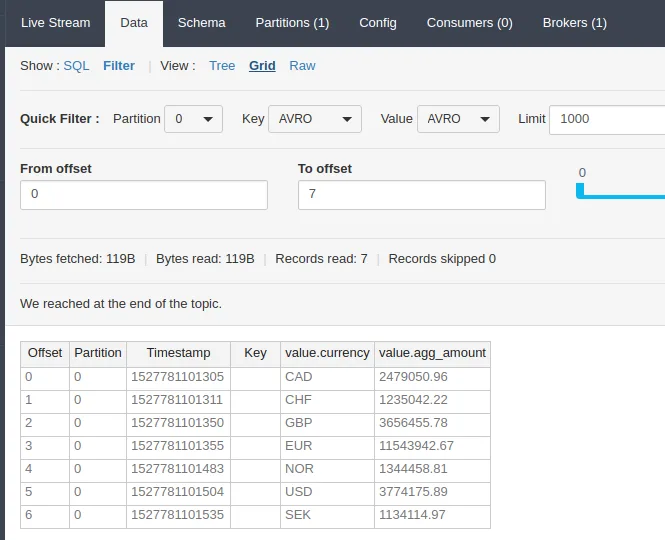
This is a simple introduction into how the JDBC can be combined with Kafka. You are free to write more complicated aggregations which really
bring together the benefit of a distributed system like Spark.
To see the full source code for the application developed in this blog, head over to our github repository here: https://github.com/Landoop/lenses-jdbc-spark