
When we talk about JSON schema in the world of Kafka and streaming, you may assume the schema for the events/messages.
But how many times have you fumbled in the configuration about trying to get an application deployed?
Schemas that describe how to configure and deploy Applications or applications-as-code, are also important, allowing us to automate application landscapes. Especially as we will soon be a wash with catalogs for AI Agents, MCP servers etc.
Note: I recently created JSON Schemas for creating Kafka Connectors.
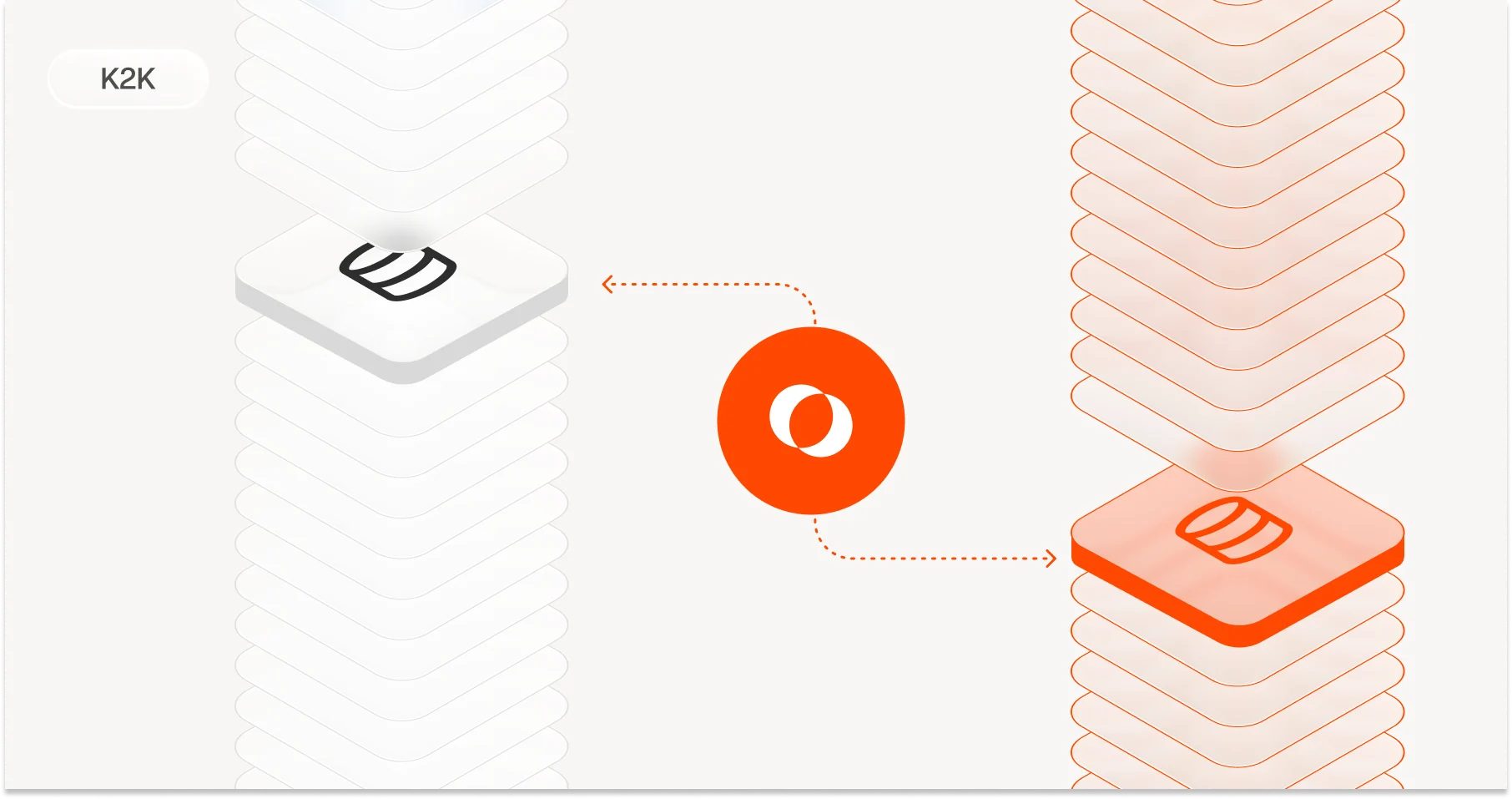
Lenses is no different. It's an application like any others that can also deploy other applications (Kafka Connectors, Stream Processors, Kafka to Kafka replicators, …).
In this blog, I’ll explain of the importance of JSON schemas for configuration and how they can be integrated into your IDE, using managing connections to Kafka environments with Lenses as an example
Managing connections as-code
Lenses connects to Kafka “environments”. This used to be one environment (an environment includes complimentary services, Kafka Connect Clusters, Schema Registries and auditing/alerting services such as Datadog and Splunk).
But as the adoption of streaming has grown, so has the size of the Kafka estate. A business having hundreds of Kafka clusters is not uncommon and of different flavours (Confluent Cloud, Redpanda, Opensource, MSK, …)
This has made managing the need of managing connections as-code more important and also allows for more mistakes to be made as you may be juggling lots of different types of connections.
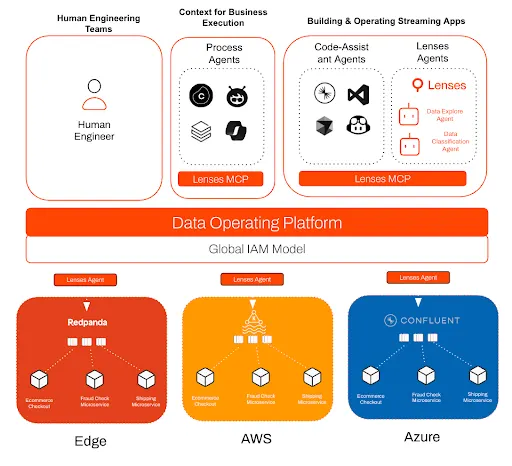
Lenses 6 HQ & Agents
Lenses connects to Kafka environments through Lenses Agents (not AI, although we do have them) that are deployed close to the Kafka cluster. Each Agent also connects to a central Lenses HQ which is what provides the unified developer experience across the Kafka estate.
The Agent depends on a magical YAML file holding the connection details. This means you can version control it and automate deployment through your CI toolchain.
Not just a spec
JSON schemas provide the same benefits to application configuration that they are touted for data:
- types definitions (eg. primitives, complex objects, enum support, …)
- metadata support; to help users by describing what each field is
- mandatory and optional fields; to ensure to catch errors before deployment
- validation rules; my favourite, rules that validate field value format (eg. a regex pattern), but also cross-validate across fields. Setting the protocol to SASL_SSL, you can also validate that your bootstrapBrokers have the right protocol set.
This has allowed us to create JSON schemas for managing different Lenses components, including the Lenses K2K replicator and the Lenses Agent provisioning file.
Some examples
This is based around Lenses provisioning but the provisioning schema covers a lot.
Check if the saslMechanism is PLAIN we have the right Jaas Config module.
"if": {
                 "properties": {
                   "saslMechanism": {
                     "properties": {
                       "value": {
                         "const": "PLAIN"
                       }
                     }
                   }
                 },
                 "required": [
                   "saslMechanism",
                   "saslJaasConfig"
                 ]
               },
               "then": {
                 "properties": {
                   "saslJaasConfig": {
                     "properties": {
                       "value": {
                         "pattern": "^org\\.apache\\.kafka\\.common\\.security\\.plain\\.PlainLoginModule required username=\\\"[^\\\"]+\\\" password=\\\"[^\\\"]+\\\";$"
                       }
                     }
                   }
                 },
                 "required": [
                   "saslJaasConfig"
                 ]
               }
             },
Check the format of the protocol, field level validation
"protocol": {
               "type": "object",
               "description": "Kafka protocol.",
               "properties": {
                 "value": {
                   "type": "string",
                   "description": "Enter the Protocol value (e.g. SASL_SSL, PLAINTEXT, etc.)",
                   "enum": [
                     "SASL_PLAINTEXT",
                     "SASL_SSL",
                     "PLAINTEXT",
                     "SSL"
                   ]
                 }
               },
               "required": [
                 "value"
               ]
             },
Default snippets
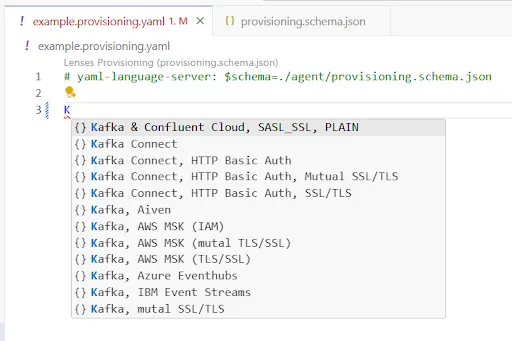
This is powerful. Set a number of preconfigured templates that follow the JSON schema. Tweaking the values can trigger validation rules: any IDE that supports JSON schema will automatically highlight issues.
For Lenses this means all the common Kafka providers (Confluent Cloud, Redpanda, ..) and configurations.
IDE Integration
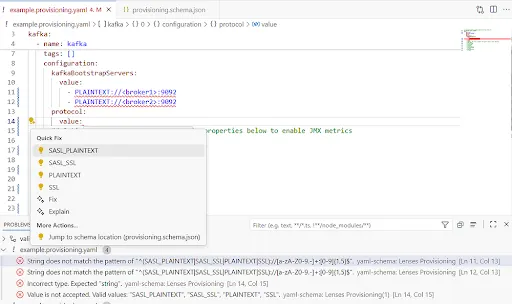
When combined with your IDE, not only do you get validation and auto completion but also hooks to help fix issues before risk of any failed deployment.
The editors (in this case VS Code), light up mistakes and can be “quick fixed”, or Github Copilot can do it.
What does it look like in Lenses?
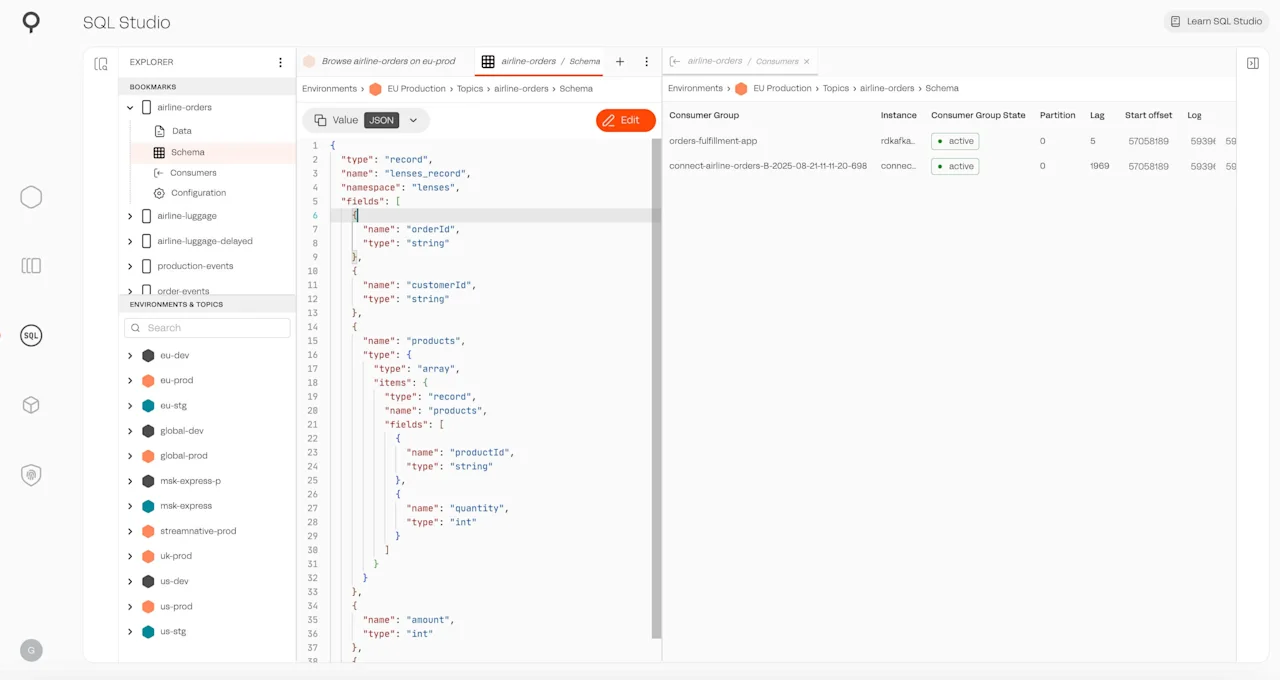
Lenses is not VS Code (but stay tuned), but we run Monaco Editor (the heart of VS Code) in the product. This is part of our code-first approach to managing streaming data & apps.

It's not just provisioning, it's Lenses IAM and our SQL Studio that is advancing to an IDE experience.
Give it a shot with Lenses
Lenses Community edition the free version of Lenses allowing you to connect up to two Kafka environments with access to all features, including our powerful SQL Snapshot engine.
You can download it here:
This is all powering the next wave of innovation at Lenses, as we continue to provide the best developer experience for streaming data.
The provisioning schema with examples of the validation can be found here.